Displays for LR2021 Testing with XIAO
In a previous post on using Seeed XIAO boards for testing the Semtech LR2021 device, I mentioned that it would be useful to have a display that is visible for the outdoor radio tests;
https://stuartsprojects.github.io/2026/10/23/LoRa-versus-FLRC.html
The XIAO boards support I2C and driving one of the small 128x64 OLED displays is easy enough. These simple displays are popular and often used as the attached display on boards from Heltec or Lilygo.
Unfortunately these simple OLEDs are next to invisible out of doors, especially in direct sunlight, so not very useful for outdoor testing unless its very cloudy or you go out very early or late in the day.
One display that does work very well outdoors in direct sunlight is a trans reflective 20 x 4 character LCD display, shown below when monitoring (outdoors) a LoRa equipped tracker on a high altitude balloon;
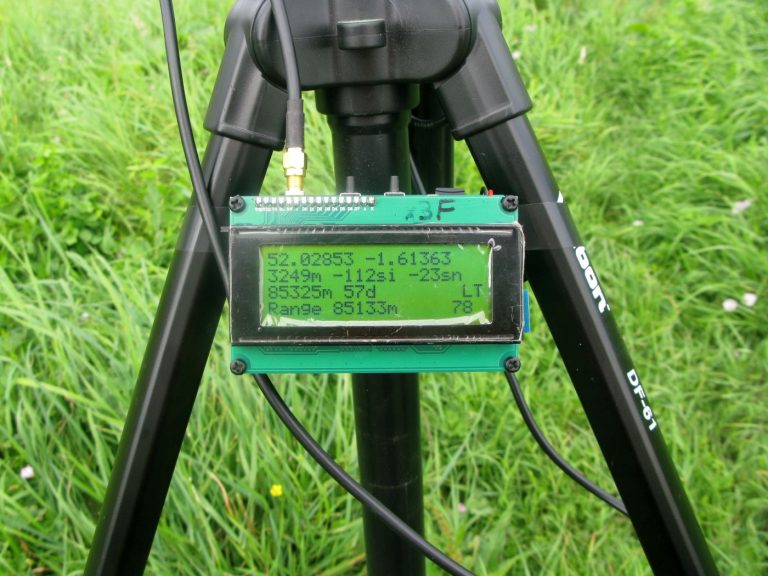
4 lines of 20 characters is not a lot, but is enough for most testing. Driving this type of LCD display normally requires around 7 or 11 GPIO pins which is too many for a XIAO. However there are Arduino libraries that allow an I2C connected PCF8574 IO expander to provide the 7 GPIOs via an I2C bus, so only 2 GPIOs are needed to drive the display from the XIAO. There are ready made low cost controller PCBs using the PCF8574 8 bit IO expander available for this LCD display and it connects to the pin header along the top of the display PCB, see picture below;
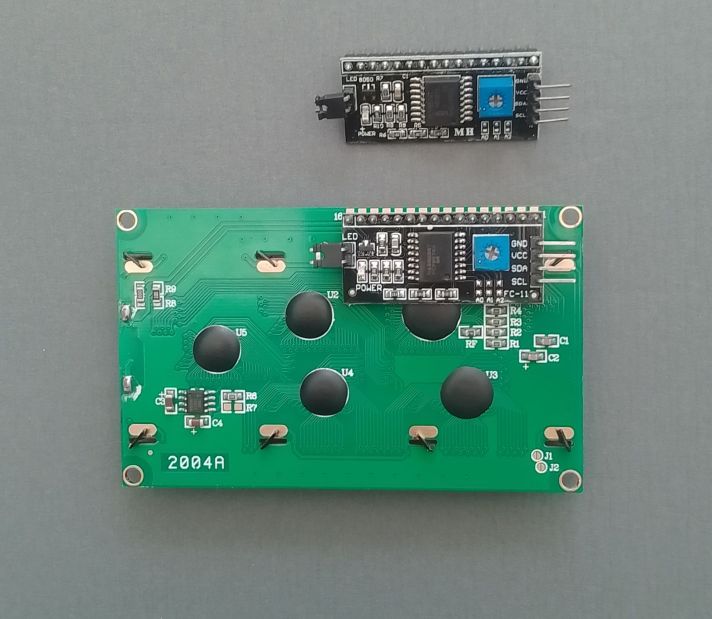
For use with the XIAO you need to be using the 3.3V version of these LCD display. They are often refered to as HD44780 type displays, the HD44780 is the display controller.
To add the software for the displays I started with the already published programs here;
https://github.com/StuartsProjects/Devices/tree/master/LR2021
I decided to add a choice of displays, the simple 128x64 OLED and the 20x4 LCD. Both are driven over the I2C port of the XIAO. For the OLED I used the U8g2\U8x8lib library as there is a large choice of actual display hardware. For the 20x4 LCD I used the LiquidCrystal_PCF8574 library. In the setup_Display() function I added some code that scanned the I2C bus to see if the display was actually present at startup. By doing this it was possible for the main code to continue working even if the display was not present.
In the board file for the transmit and receive programs such as ‘SEEED_XIAO_Board.h’ there is a section which allows you to choose which display to use for the program. This is what the display section looks like for using the OLED, so OLED define enabled, LCD define disabled;
//display definitions
#define USE_OLED128X64   //enable define to use 128x64 OLED
//#define USE_LCD20X4  //enable define to use 20x4 LCD
And if you want to use the 20x4 LCD it looks like this;
//display definitions
//#define USE_OLED128X64   //enable define to use 128x64 OLED
#define USE_LCD20X4  //enable define to use 20x4 LCD
You also need to define the correct I2C address for the display by enabling or disabling the #defines in this section;
#define DISPLAYADDRESS 0x3C  //default address of OLED, 0x3C is default
//#define DISPLAYADDRESS 0x3F //need to provide address of PCF8574 that is driving LCD display, 0x3F is default
And thats all you need to do. At startup if the display is detected then it first displays the modem settings in use and then switches to displaying packets transmitted or received.
These are the LCD and OLED connected to the XIAO board;
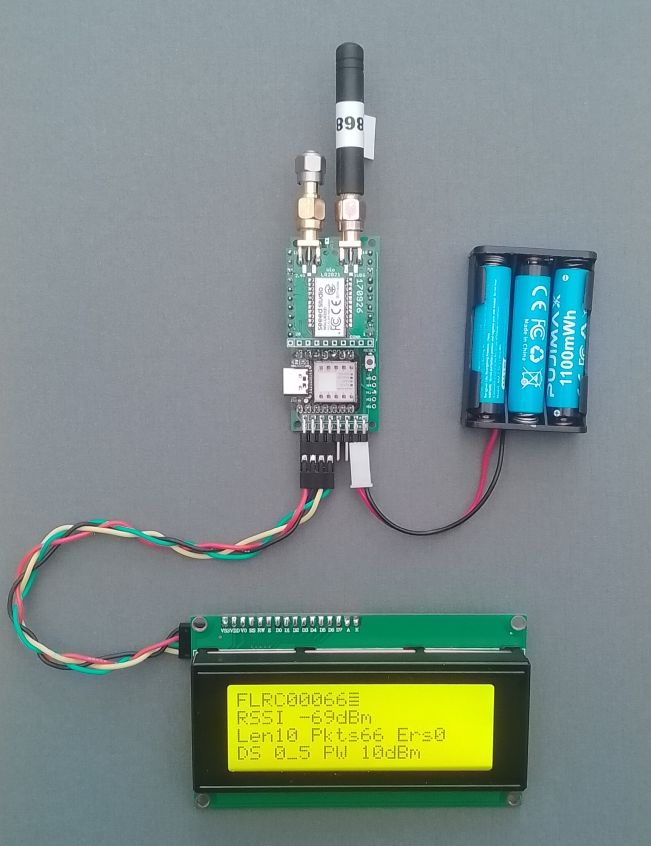

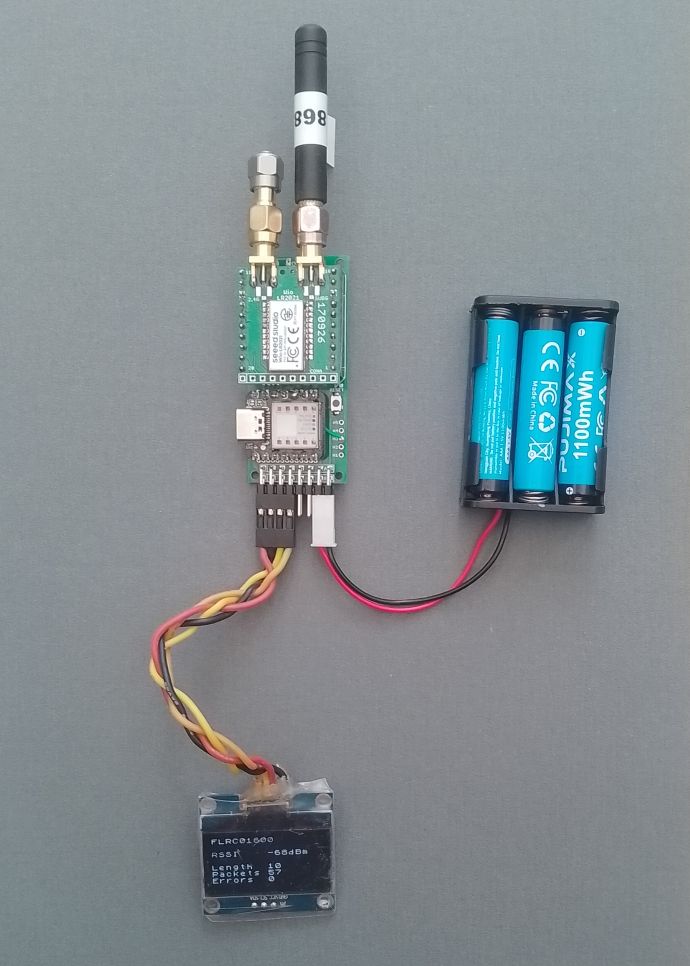
The LoRa and FLRC transmit programs with the display options are to be found in the device repository;
https://github.com/StuartsProjects/Devices/tree/master/LR2021
These are the programs;
10_LR2021_LoRa_Transmitter_with_Display
11_LR2021_LoRa_Receiver_with_Display
12_LR2021_FLRC_Transmitter_with_Display
13_LR2021_FLRC_Receiver_with_Display